The short version
Oracle APEX developers already know Dynamic Actions. A user clicks a button, a Dynamic Action listens for the click and APEX runs one or more actions.
So when Oracle APEX 26.1 introduces Trigger Actions, the natural first question is simple: is this just another way to put a Dynamic Action on a button?
Not quite.
The difference is not raw capability. The difference is where the behavior belongs.
Dynamic Actions are great for reacting to page events. Trigger Actions are great for defining commands directly on the component that owns them.
The old pattern
Suppose you have a button:
Approve And NotifyTraditionally, you might configure it like this:
Button:
  Action: Defined by Dynamic Action

Dynamic Action:
  Event: Click
  Selection Type: Button
  Button: APPROVE_AND_NOTIFY

Actions:
  1. Execute Server-side Code
  2. Refresh Region
  3. Show Success Message
This works. Dynamic Actions are not going away, and this pattern is still valid.
The tradeoff is indirection. To understand what the button does, a developer has to inspect the button, find the page-level Dynamic Action, then inspect each action in the chain. On a large page with many click handlers, that gets noisy quickly.
The Trigger Action pattern
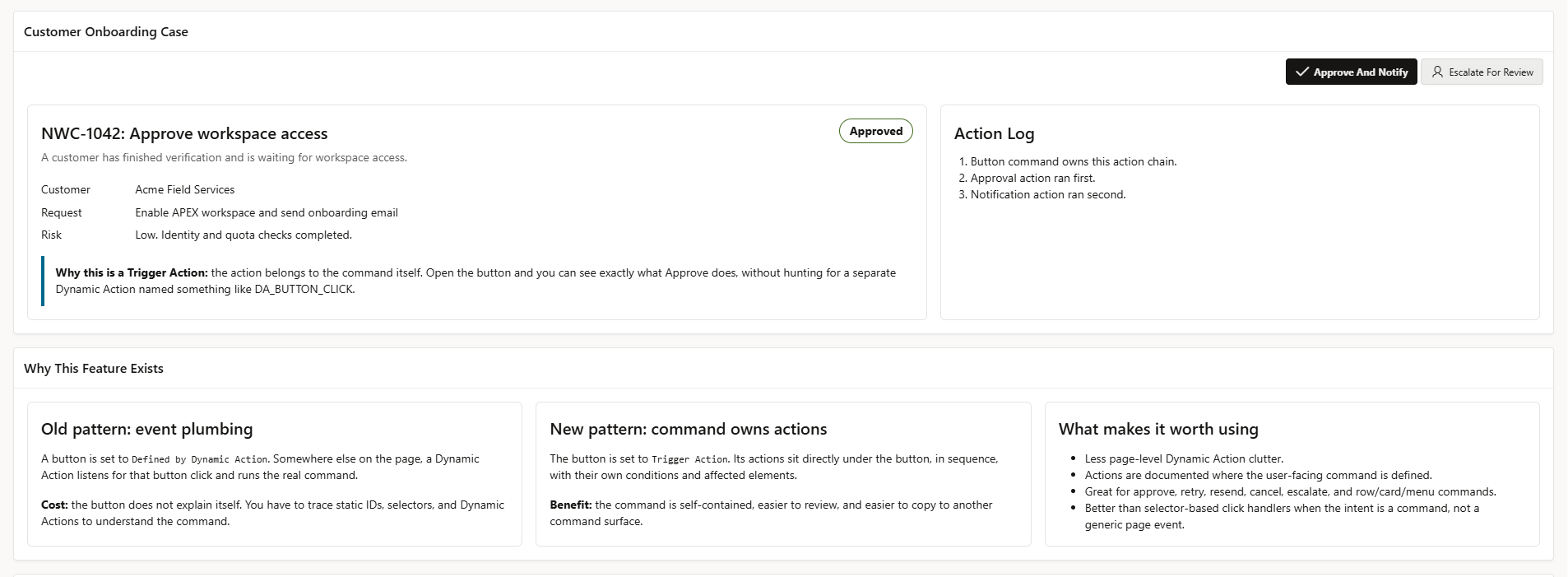
With Trigger Actions, the command owns its behavior.
Conceptually:
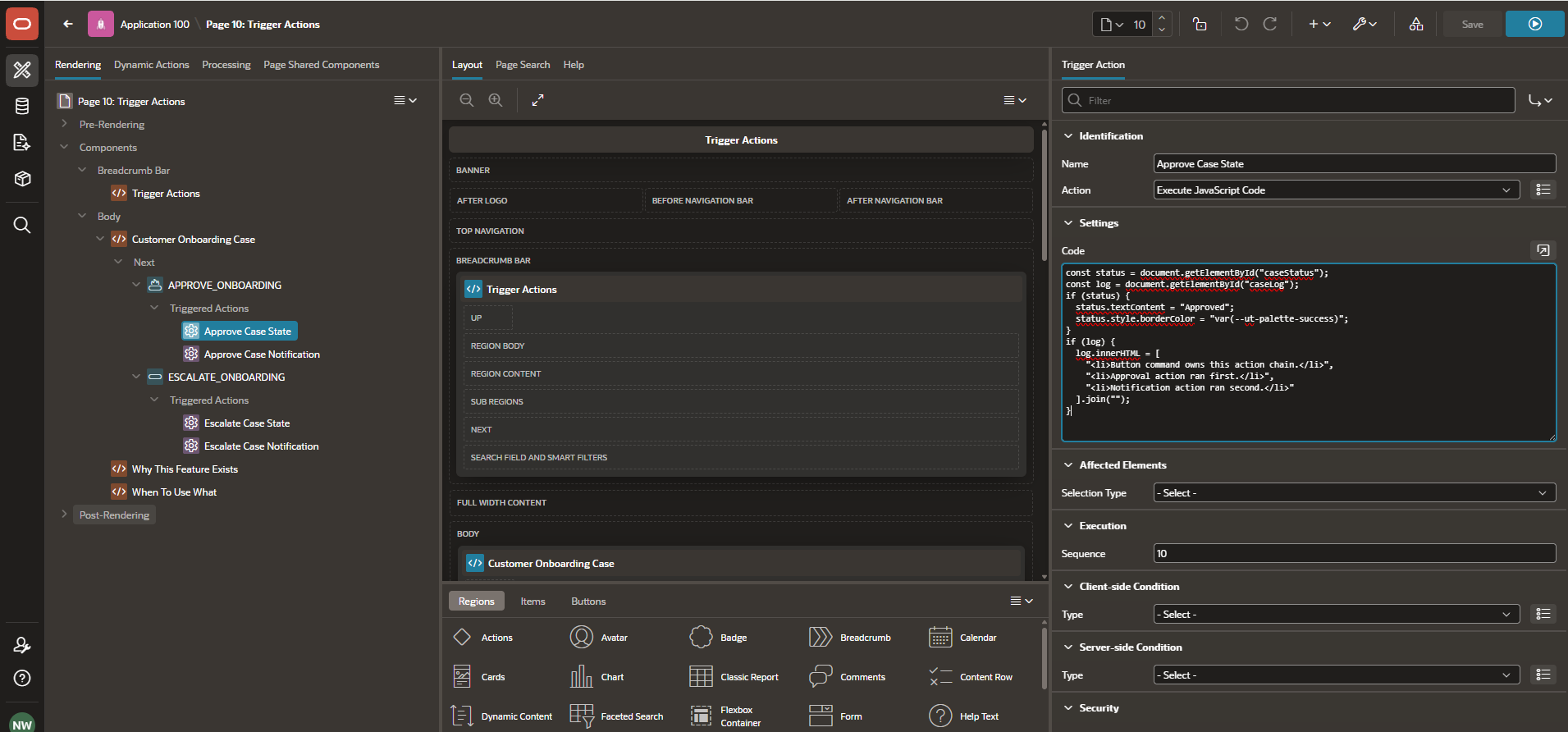
Button: Approve And Notify
  Behavior: Trigger Action

  Triggered Action 1:
    Execute server-side code

  Triggered Action 2:
    Refresh region

  Triggered Action 3:
    Show success message
Now the behavior is attached to the command itself. When a developer opens the button, menu entry or component action, the intent is easier to inspect.
That is the feature: command-local behavior.
Why this matters
Trigger Actions reduce selector tracing and page-level clutter. They are useful when the action is part of the control’s meaning.
Good examples:
Approve request
Reject request
Assign to me
Retry failed job
Resend invitation
Cancel subscription
Escalate case
Open details dialog
Refresh this card
Download this document
These are not generic page events. They are user commands.
Oracle’s release post also highlights an important security-adjacent benefit: Trigger Actions keep more interactivity declarative and component-centric, which better aligns with modern Content Security Policy requirements than patterns that rely on inline JavaScript or javascript: URL targets.
Dynamic Action vs Trigger Action
Use Dynamic Actions when reacting to page behavior:
Page loads
Item value changes
Region refreshes
Interactive Grid selection changes
Dialog closes
Keyboard input happens
A shared behavior applies to many elements
Use Trigger Actions when the user invokes a named command:
Click Approve
Choose Retry from a row menu
Click Resend Invite on a card
Click Cancel from an action menu
Click Delete on a row action
A simple rule:
| Question | Better fit |
|---|---|
| What should happen when this page event occurs? | Dynamic Action |
| What does this command do? | Trigger Action |
Where Trigger Actions show up
In APEX 26.1, Oracle describes Trigger Actions as behavior that can be defined directly on components such as:
- Buttons
- Menu entries
- Template Component actions
- Native Cards actions
- Interactive Report template component column actions
Buttons also get broader behavior options. A button can continue to use standard behavior such as submit or redirect, but it can also be configured as a menu or as a Trigger Action. That makes buttons more flexible without forcing developers into custom JavaScript for common interaction patterns.
Row context is a big deal
One of the most useful parts of Trigger Actions is row context support.
For Template Components, Cards and report-style interfaces, a command often belongs to a specific row:
Delete this lead
Retry this job
Open this order
Resend this invitation
Oracle’s Trigger Actions implementation makes row values available during action execution. Client-side actions can reference available row values, and server-side actions can submit selected values so PL/SQL can work with the relevant row.
That means a row-level action can stay declarative while still being contextual. The command can know which row it belongs to without the developer wiring a custom click event and hand-passing identifiers.
Built-in click throttling
Trigger Actions also include built-in click throttling.
When an action fires, repeated clicks on the same row and button are blocked until the action set completes. That helps avoid duplicate submissions in workflows such as delete, approve, retry or resend.
Oracle notes that there is no built-in visual spinner for the initial release, so user feedback is still something developers should design. But the underlying duplicate-click protection is handled by the framework.
A practical example
Imagine a support dashboard with a failed provisioning job.
A row action says:
Retry JobWith a Dynamic Action approach, the page might contain several related handlers:
DA_RETRY_JOB_CLICK
DA_REFRESH_JOB_STATUS
DA_SHOW_RETRY_MESSAGE
That can work, but the command is scattered across the page.
With Trigger Actions, the row action can own the workflow:
Row Action: Retry Job
  1. Execute server-side retry logic
  2. Refresh job status region
  3. Show success message
That is easier to inspect, easier to review and easier to maintain.
The main developer benefit
Trigger Actions make APEX command behavior more local and explicit.
They help avoid pages where every button is simply “Defined by Dynamic Action” and the actual command behavior is hidden in a long list of page-level click handlers.
The benefits are practical:
- Less selector tracing
- Less page-level Dynamic Action clutter
- Clearer command ownership
- Better maintainability
- Better code review
- More reusable command patterns
What this means for hosted APEX applications
For production APEX applications, maintainability is not cosmetic. Clearer command behavior helps teams review changes, onboard developers and support applications over time.
On managed APEX environments, this kind of framework feature matters because it lets teams keep more behavior declarative and closer to the component that owns it. That usually means fewer custom JavaScript paths to review, fewer page-level event handlers to untangle and cleaner upgrade stories.
For teams planning production APEX applications, the Cloud Hosting overview explains the platform model, and the plans page shows available hosting options.
Bottom line
Trigger Actions are not a replacement for Dynamic Actions.
They are a better model for command-driven UI.
Dynamic Actions answer:
What should happen when this page event occurs?Trigger Actions answer:
What does this command do?For developers building serious Oracle APEX applications, that distinction is worth using.
FAQ
Are Trigger Actions replacing Dynamic Actions?
No. Dynamic Actions remain useful for page events, item changes, region events and shared behavior. Trigger Actions are better when behavior belongs directly to a command.
Do Trigger Actions require custom JavaScript?
No. Oracle describes Trigger Actions as declarative behavior using familiar Dynamic Action patterns. Developers can still execute JavaScript when needed, but common interactions can stay low-code.
Which components support Trigger Actions?
Oracle’s initial release covers buttons, Template Component actions, menu entries, native Cards actions and Interactive Report template component column actions.
Why are Trigger Actions useful for row actions?
They support row context, so actions on Cards, Template Components or report rows can work with the row being acted on without custom event plumbing.
Should every button use Trigger Actions?
No. Standard submit, redirect and navigation buttons can keep using standard behavior. Use Trigger Actions when the button or menu entry represents a command with its own action chain.